
Maths Fractions
38 + 28 =
Sam’s answer516
Not this time. It looks as if you added the denominators (bottom numbers) too. When the denominators are the same, add only the numerators (top numbers). The denominator stays the same.
The answer58
A web app 11 plus and Year 6 SATs Maths, English and reasoning
Every exam fact we hold links to the page it came from, with the date we checked it. Each page is the school’s own, or its council’s or test provider’s, and most are quoted word for word. Remelia tailors your child’s entrance exam preparation to their school year and current term, and to the entrance exam requirements of their target school, with 329 schools covered.
Want to try it first? Try a skills check. Your answers won’t be saved.
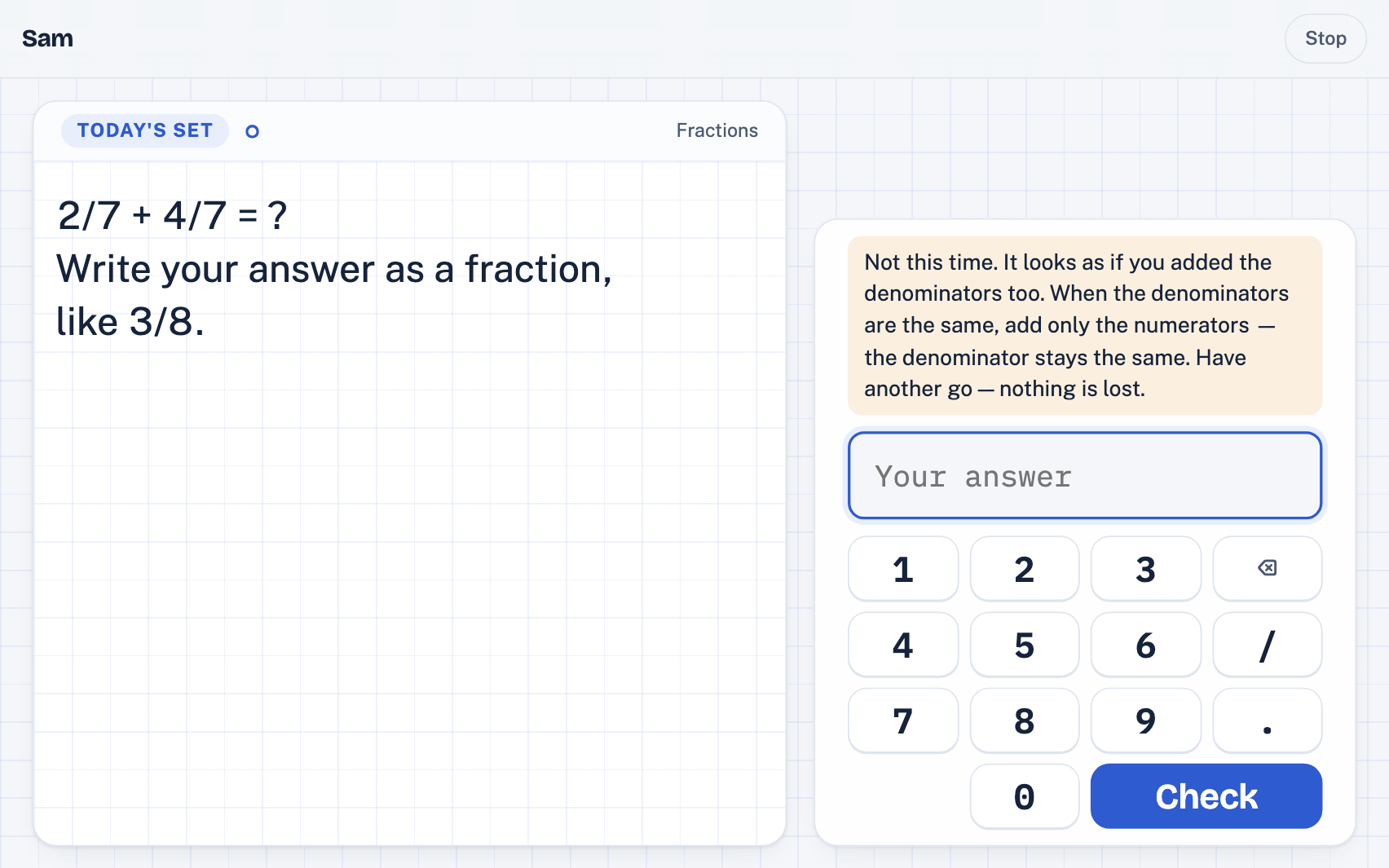
Maths Fractions
38 + 28 =
Sam’s answer516
Not this time. It looks as if you added the denominators (bottom numbers) too. When the denominators are the same, add only the numerators (top numbers). The denominator stays the same.
The answer58
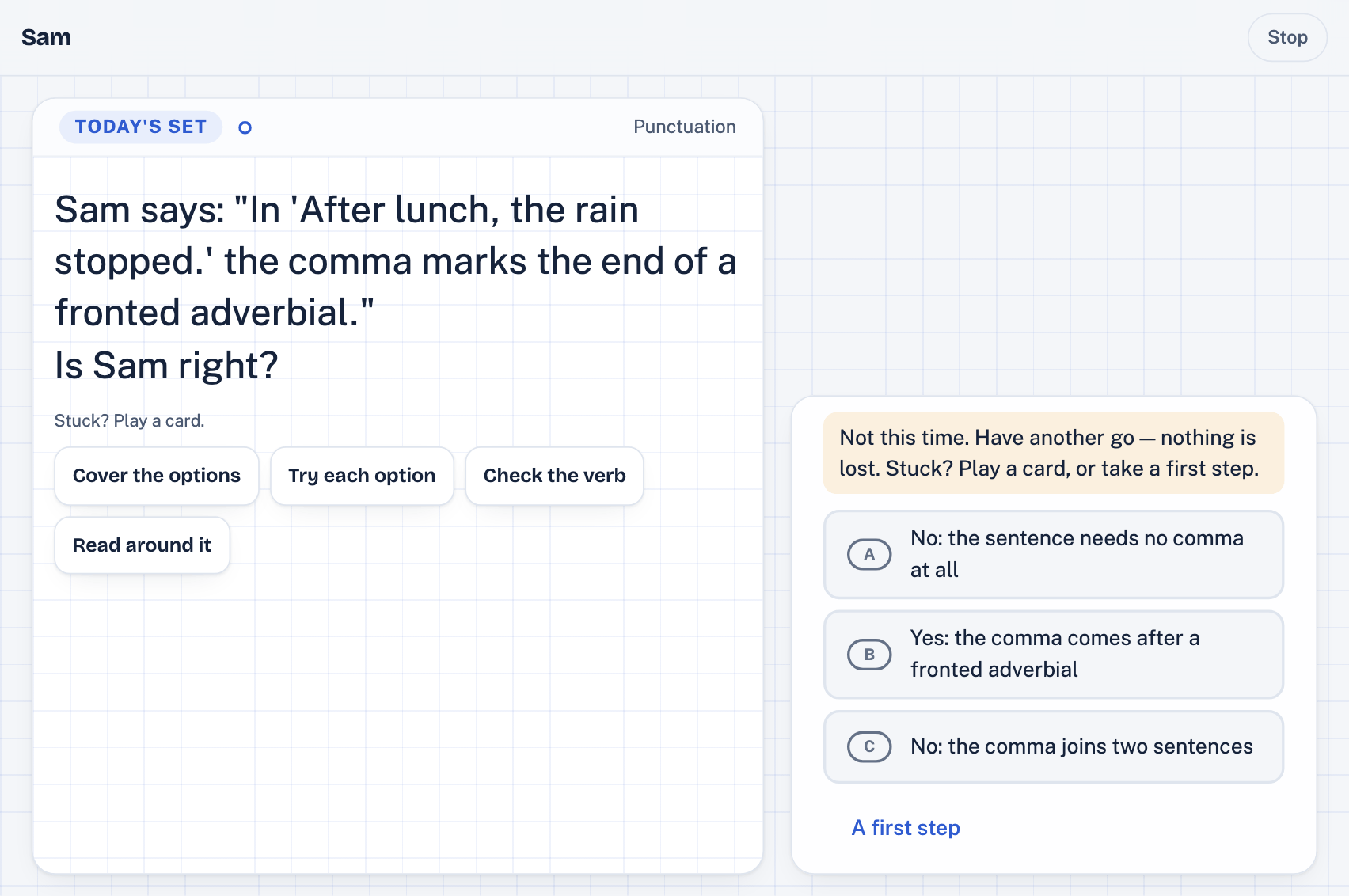
English Year 4 Word
The two dog’s barked.The two dogs barked.
Watch out for: adding an apostrophe to a plural. Here, “dogs” means more than one dog, so no apostrophe is needed.
Also included in Remelia
Whether or not your child is preparing for the 11 plus, Remelia teaches maths and English for Years 3–6 in the order they learn it at school.
You can add Year 6 SATs practice on its own or alongside entrance exam preparation. Practice for the Year 4 times tables check is included automatically for a child who studies maths, once a week from March of Year 4.
Getting started
Use a web browser on a laptop, Chromebook, tablet or phone. There’s nothing to install.
Follow seven short steps, including your child’s first name, year group and pronouns. You can also add their school if you wish.
Tick the schools your child might apply to. You can choose as many as you like, or select “General 11+ preparation”. No schools are selected for you, and you can change your choices later.
Your child answers around 24 maths questions to see what they already know and where they need practice. Their plan starts from there. The English skills check follows the next day.
Create an account in Remelia Parents to link devices, read your child’s weekly letter and change settings from your own phone.
What it teaches
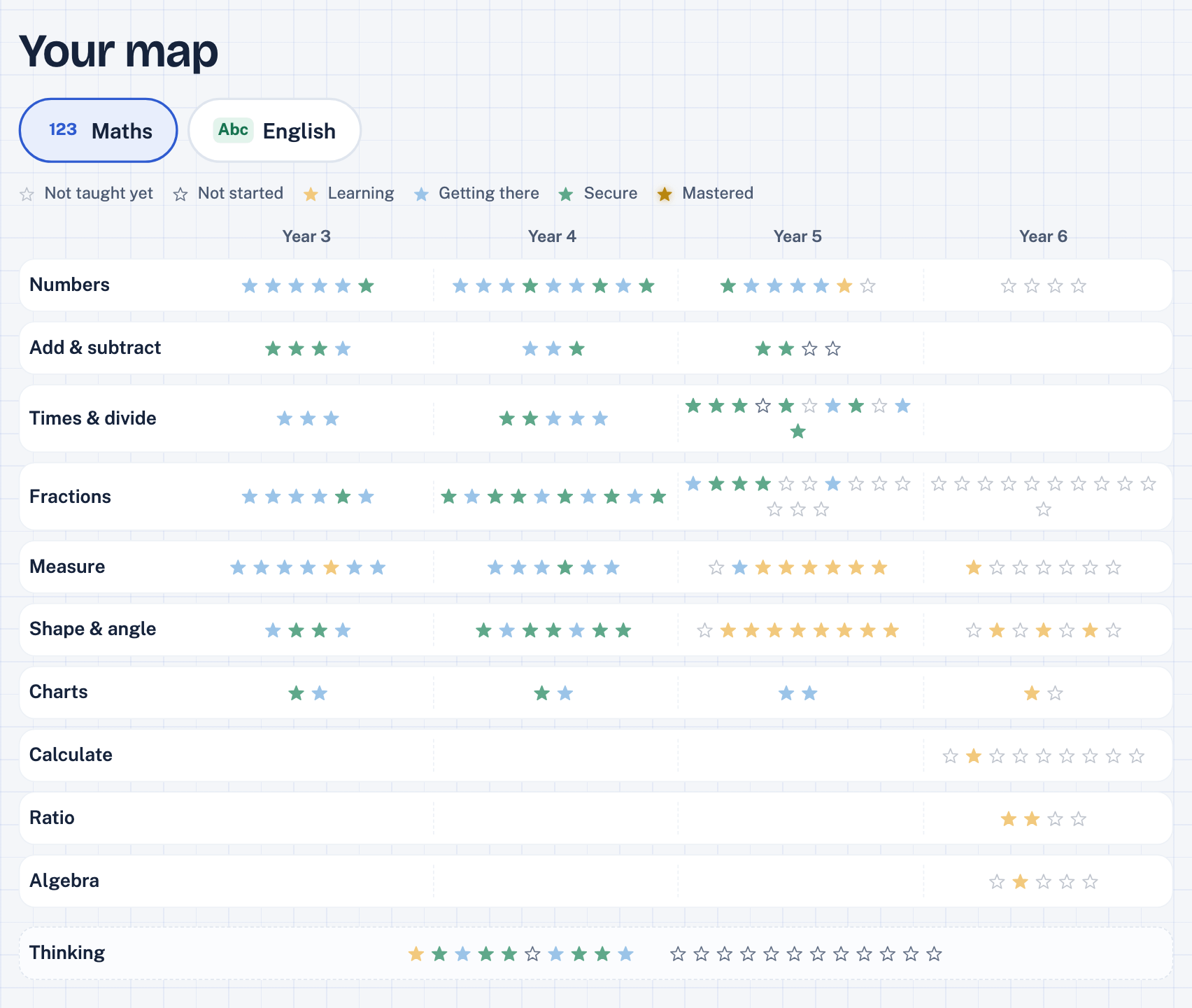
Remelia breaks the Key Stage 2 curriculum into topics, each focused on one skill, such as adding fractions with the same denominator. These skills are also known as learning objectives.
Children practise a little each day. By default, the plan follows what they are learning at school. Once they are confident with a topic, they can move on to the next one early. In the final months before a chosen entrance exam, practice focuses on what that exam covers.
Choosing a school may also add verbal reasoning, non-verbal reasoning or science. Your child only practises these subjects if they are included in that school’s entrance exam.
Remelia creates questions using code written for each topic. The code uses rules, word lists, reading passages and other texts stored in the app. Separate checks solve samples of these questions without access to the answers, then compare the results. How the questions are made
Included by default. Your child continues practising maths even if their chosen entrance exams do not include it.
228 topics
Covering Key Stage 2 maths for Years 3–6, with practice questions for each topic, plus problem-solving strategies and puzzles that stretch children further. For schools using one of the five maths schemes Remelia supports, topics follow that scheme’s teaching order. Otherwise, they follow the order most English primary schools teach.
The 228 topics include a Year 7 head start of 29 early secondary maths topics. This becomes available after the Year 6 SATs, or straight after the last entrance exam for children applying only to independent schools. A parent can make it available earlier.
English practice is included by default, even if your child’s chosen entrance exams do not test English.
90 topics
Grammar, punctuation, spelling and vocabulary are practised most days. From Year 5, a weekly reading day is added if your chosen exam plan includes English. Short timed writing tasks are also included if the exam tests writing.
130 reading passages: 67 non-fiction texts, 46 fiction texts and 17 poems.
Included only if your chosen school’s entrance exam tests verbal reasoning. Practice starts in the autumn term of Year 5.
23 question types
These cover the 21 types in GL Assessment’s familiarisation papers, plus two additional types tested by Quest Assessments. Plans for the ISEB Common Pre-Test exclude three types: number series, letters for numbers and complete the sum.
Verbal reasoning is tested at 282 of the 329 schools covered by Remelia’s exam plans.
Included only if your chosen school’s entrance exam tests non-verbal reasoning. Practice starts in the autumn term of Year 5.
13 question types
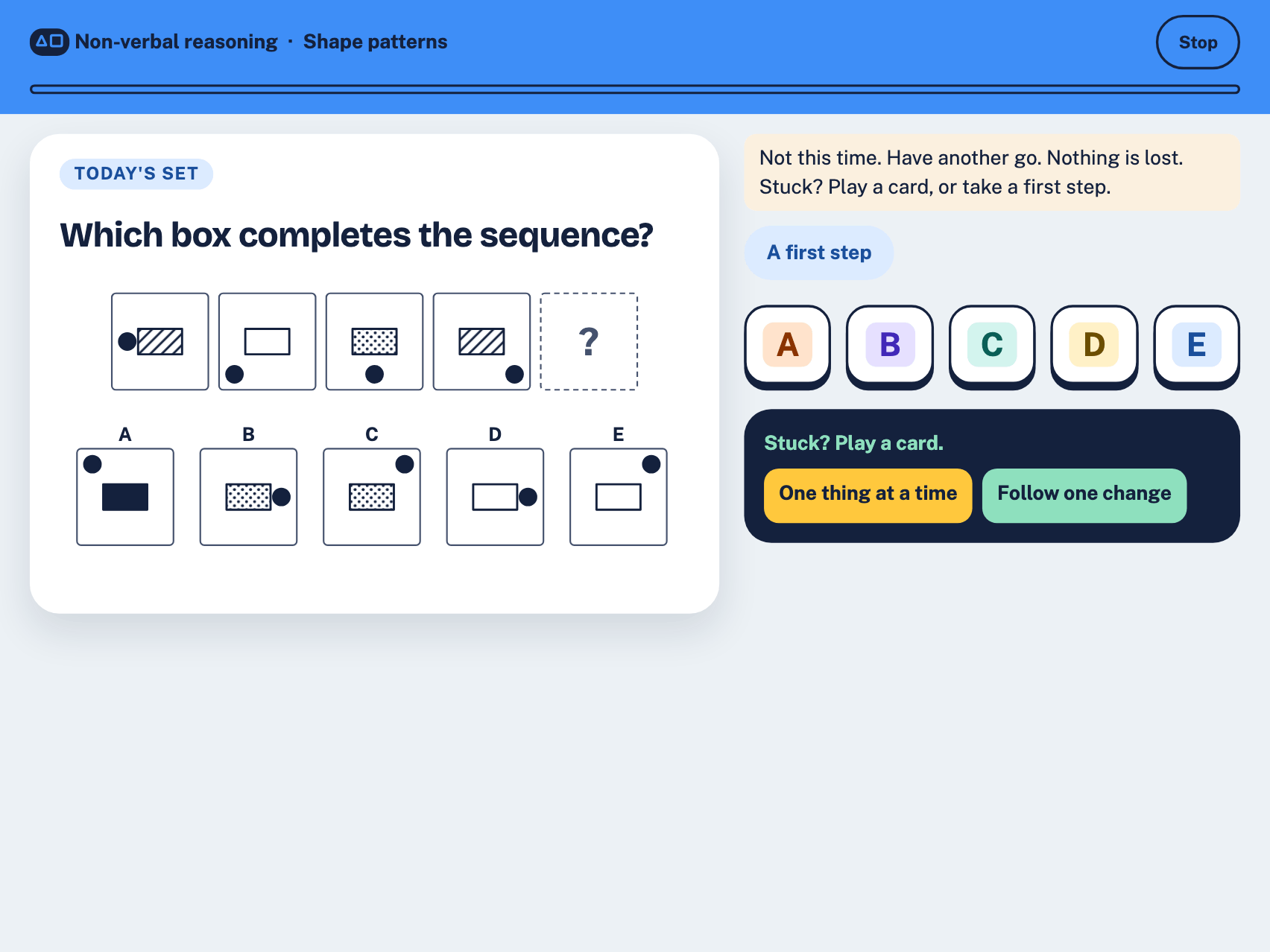
Based on the exam boards’ own sample materials. Each question uses diagrams and offers five answer choices.
Non-verbal reasoning is tested at 272 of the 329 schools covered by Remelia’s exam plans.
Science is practised too, only where a chosen school’s exam sets it. An exam sets it at 8 of the 329 schools with an exam plan.
A session
Each session revisits topics your child has practised before, then introduces something new when they are ready.
Sessions mix subjects by default. You can choose maths-only or English-only practice, or let your child pick one subject each session.
Sessions last up to 12 minutes by default. They can be a little longer where a chosen exam sets four subjects or more, and up to 15 minutes in the months before a chosen exam. With the scholarship switch on, a session can be up to three minutes longer, for a second puzzle. You can adjust the length from 8 to 20 minutes. Shorter mixed sessions may not cover every subject. Maths comes first, so an 8-minute mixed session usually leaves no time for English or reasoning questions.
Your child works through three steps: study a solved example, finish a question that has been started, then solve one on their own.
When your child answers correctly, the topic returns after a longer gap each time. If they make a mistake, it comes back sooner for more practice.
When a wrong answer suggests a common misunderstanding, Remelia explains the mistake and how to avoid it next time.
In the final 14 days before your child’s chosen exam, sessions are shorter and no new topics are introduced. Your child practises only topics they have already started.
Remelia runs in a web browser on a laptop, Chromebook, tablet or phone. There is nothing to install.
Your child can practise on more than one device. Until you link the devices to your parent account, each keeps a separate record. Once linked, they share your child’s progress, so your child can practise on the family laptop one day and pick up where they left off on a tablet the next.
For parents
Available in Remelia Parents on your phone and in “For grown-ups” on your child’s device:
The timed mock
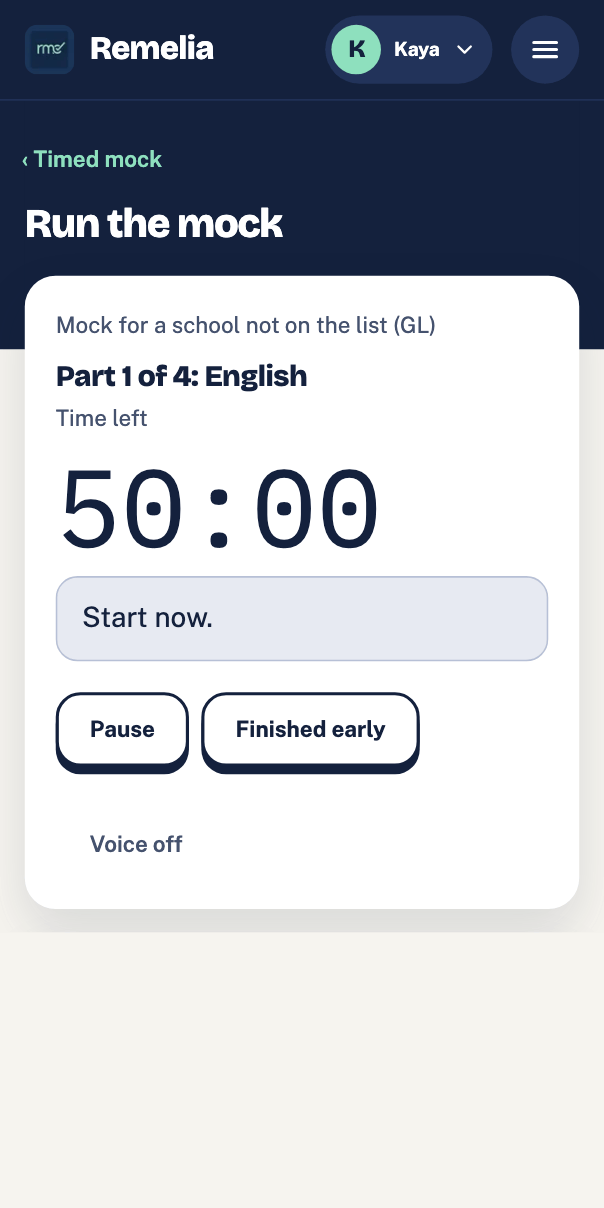
Remelia offers a timed mock for each of the 249 exams covered by its plans. A grown-up starts the mock, and your child works through the sections in order, with a set time for each. For paper-based mocks, your child uses printed papers while you manage the timing and instructions on your screen. For online mocks, your child answers on their own device. Some mocks cover only part of the entrance exam. This section explains what is included and what is left out.
A mock on paper is made in Remelia Parents or in For grown-ups, printed by a grown-up and run from their screen. That screen shows the clock for each part and the instructions to read out. It reads them aloud in the device’s voice where it has one, and keeps a short rest between parts. Your child sees only the paper, never the clock. Any writing task is on paper too.
A mock on screen is started in For grown-ups, on the child’s own device, by a grown-up. The child’s screen calls it a practice test. Each part comes in turn, with the time left shown in the corner, which the child can hide.
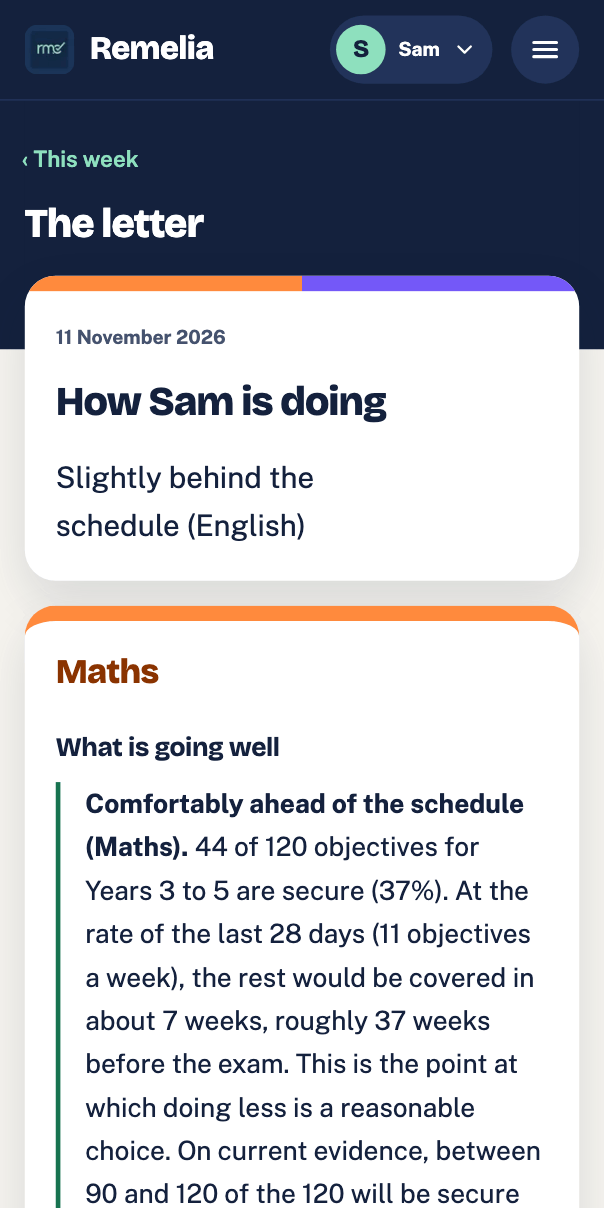
Marked at home. For a mock on paper a grown-up taps what is on each line of the answer sheet. The app marks it by the exam’s own rule for the sheet. A mock on screen the app marks itself. A writing task is not marked there: a grown-up ticks it on the writing paper’s own page, so it is not in those marks. The marks show on Progress, part by part, with the minutes used. The result says that a mock made here is not the real paper. It is practice, never a rank.
Every count here is of the mock its guide gives for entry from 2028. Each exam is counted once, under the provider the cards below count it under.
A part runs to the school’s own minutes, the test’s own minutes or the minutes of GL’s own practice paper, where they are published. A spatial reasoning part runs to 5 minutes a section, from the Kent Test’s booklet (the number of sections is ours). Where one paper holds several parts, each runs to an equal share of the test’s own paper’s minutes. Where a paper’s minutes cover spatial reasoning too, a part runs to a share of the test’s own paper’s minutes, less the spatial part’s. Otherwise a part runs to the provider’s usual minutes, or to the app’s default minutes for the school’s own written task, beside the Pre-Test. A mock has a part only for a subject its exam sets. These are the usual parts, in the order the mock runs them.
For 63 of the 249 exams the mock is of the whole exam, each of its papers or sections. For 15 more the exam’s own papers were not found on the pages read. The mock has the provider’s usual section for each subject the test is known to set, and is not known to be the whole exam. For the other 171 it is in part, and the exam’s guide says how. An interview is never part of a mock.
The parts left out most often, with the number of the 249 exams whose mock leaves each out:
Schools and exams
Remelia teaches Key Stage 2 maths and English in your child’s school order, whichever school they are aiming for. For 329 schools it also plans to the school’s own exam: its date, its scope and a lighter last fortnight. Where an exam tests something Remelia does not fully teach, such as spatial reasoning, its guide says so. Ten of the 249 exam plans leave out English or maths, and another 52 set reasoning only and leave out both. With only such exams open, what is missing is kept up to the national standard for Years 3 to 6, with core topics and practice papers. It is not counted towards those exams or included as a section of their mocks.
Any school
Remelia still teaches the Key Stage 2 maths and English curriculum, in school order, with spaced reviews: grammar, punctuation, spelling and vocabulary most days, beside the maths. A plan to a school’s own exam, with its date and scope, is for the schools listed on Schools and exams. Another school may still get a plan, to its test provider’s usual test: a school that is not listed.
90 exams with a plan
Most of its exams set
MathsEnglishVerbal reasoningNon-verbal reasoning
Reasoning is practised only where a chosen school’s exam sets it.
89 exams with a plan
Most of its exams set
Verbal reasoningNon-verbal reasoning
Reasoning is practised only where a chosen school’s exam sets it.
61 exams with a plan
Most of its exams set
MathsEnglishVerbal reasoningNon-verbal reasoning
Reasoning is practised only where a chosen school’s exam sets it.
Each school’s use of this test is counted as its own exam, once for each entry point (11+ and 13+): 61 exams for 49 schools.
9 exams with a plan
Most of its exams set
MathsEnglish
Reasoning is practised only where a chosen school’s exam sets it.
Each exam is counted once, under the provider whose test Remelia plans it as for a child in Year 3 this school year. So the four counts add up to the 249 exams. Four of those exams were another provider’s up to 2027 entry. A card counts each under the new provider from 2028 entry, and the exam board page of the provider before still lists it.
The exam board pages list 147 of these 249 exams. Schools and exams lists all 249, A to Z.
Each exam plan is dated from your child’s year group: Remelia works to the sitting for the September they start Year 7. A school without a plan of its own may still have its test under “Can’t find a school?”. Tick it, then choose its school year and month; Remelia plans for that provider’s usual test at the sitting you choose. If it is not there, choose “General 11+ preparation” for the Key Stage 2 curriculum with no exam date.
No school is chosen for your child: when you set them up you tick the schools they might apply for, as many as you like, or choose “General 11+ preparation”. Until you choose, they learn the Key Stage 2 curriculum with no exam date; the schools can be changed at any time in Settings.
Remelia is not affiliated with any school, consortium or exam board.
What it will not do
The app asks our server for each session’s questions, by topic, level and year group. It asks about schools too, with the words a grown-up types and the school chosen. It sends an anonymous device number with each request: never a name, never the child’s answers. Nothing else about the child leaves the device unless a grown-up links it to an account. Then only the child’s answers, the grown-ups’ settings and the device’s name go, and only to that account. So does the plan of a travel pack, if one is asked for. So does the list of questions the child got wrong, if a grown-up turns that on.
No adverts in the app, and no marketing trackers in it or on this site.
No comparisons with other children, and no percentages shown to your child.
Progress towards an exam is a range with its assumptions next to it, never a prediction of a result.
A few minutes most days, with breaks you set, rather than long sessions at the weekend.
It opens in the browser your child already has, on the family’s own devices.
Questions
On the first day, a skills check finds where your child is, and the plan starts from there.
Open the appHow to get started
Free while we validate the app. Opens in this browser, so use your child’s device. No account needed to start. Or try a skills check before you set anything up.